
Download Driver Updater – driver updater, update drivers, computer performance, Windows, driver installation, automatic updates, driver report, user-friendly interface
Overview
Driver Updater is a productivity-focused tool designed to streamline the process of maintaining optimal computer performance through timely driver updates. The application targets users seeking a reliable solution to keep their Windows-based systems running efficiently. By automatically identifying outdated drivers and facilitating their installation, Driver Updater addresses a common pain point in system maintenance—manual driver management, which can be time-consuming and error-prone. The app is particularly beneficial for individuals who prioritize system stability, responsiveness, and hardware compatibility but lack technical expertise in driver handling.
While the developer, Driver Updater, has not provided additional background information, the app’s functionality suggests a focus on accessibility and automation. Real-world use cases include users preparing their systems for demanding tasks such as gaming, video editing, or software development, where up-to-date drivers can significantly impact performance. Additionally, the tool may appeal to home users and small business operators who rely on consistent system operation without the need for IT support. In the broader app ecosystem, Driver Updater fills a niche by offering a dedicated utility for system optimization, especially within the Windows environment where driver compatibility remains a critical concern.
Key Features & Functionality
- Improved Computer Performance: By ensuring all drivers are current, the app helps reduce system lag, improve hardware responsiveness, and enhance overall efficiency. This is especially valuable for older systems where outdated drivers may cause instability or performance degradation.
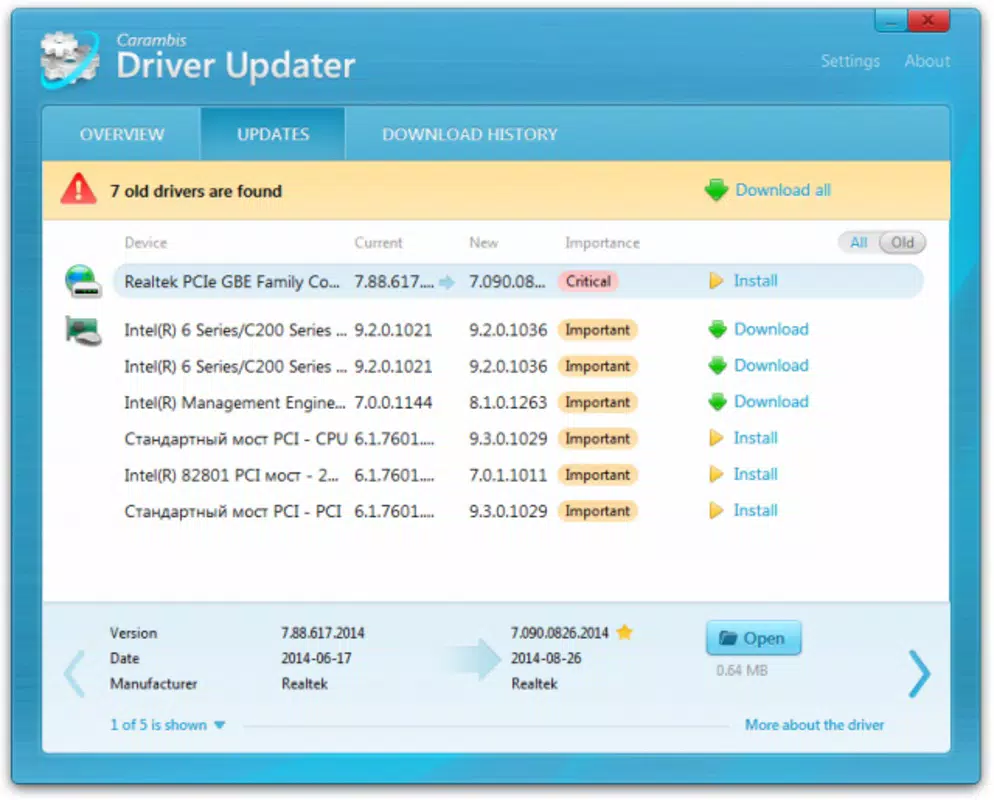
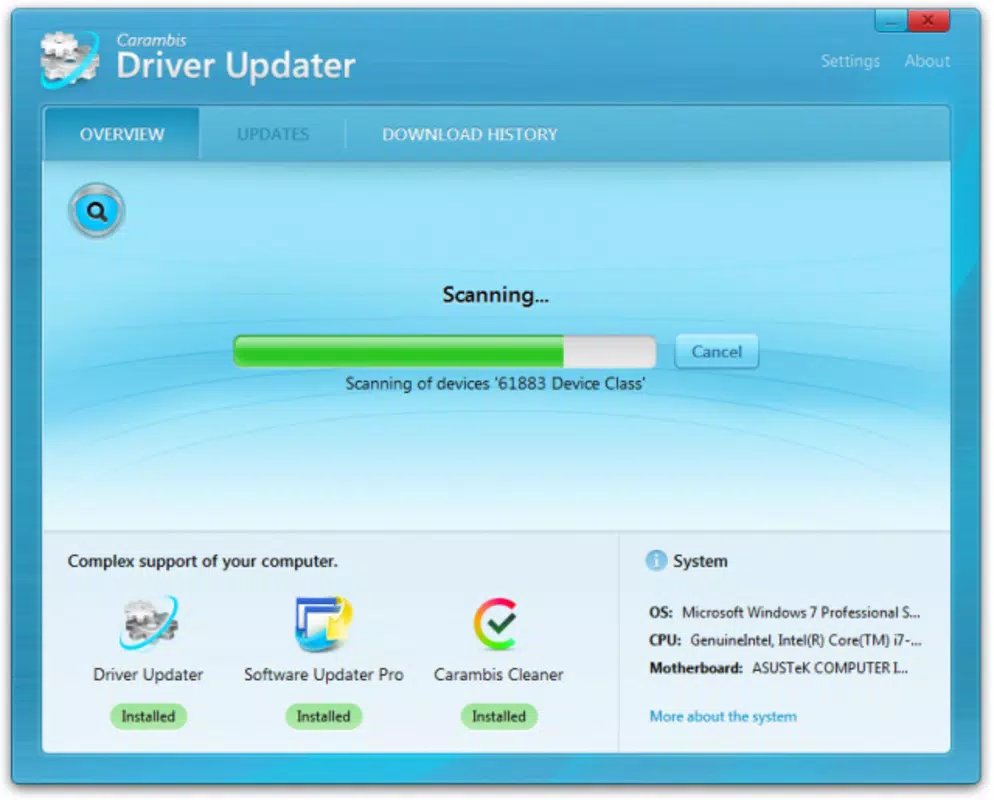
- Easy and Fast Driver Updates: The application performs a quick scan of the system to detect outdated drivers and generates a clear report, allowing users to identify which components require attention without technical knowledge.
- Automatic Driver Installation: Once outdated drivers are identified, the app automatically downloads and installs the correct versions, minimizing user intervention and reducing the risk of incorrect installations.
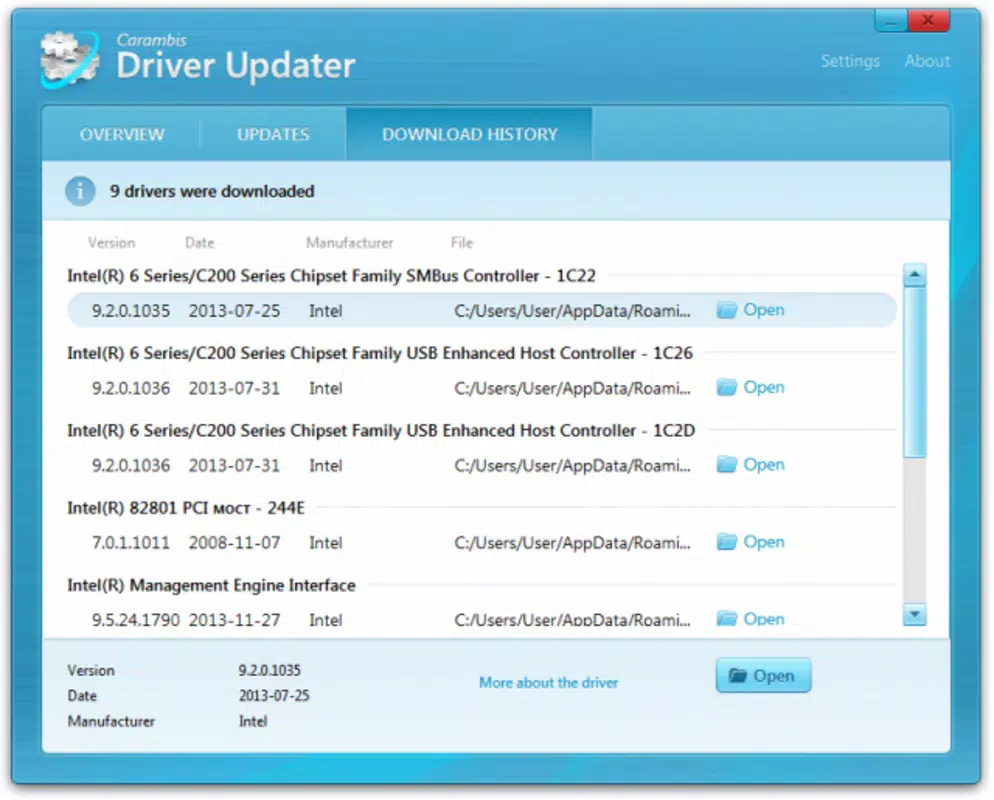
- Comprehensive Driver Report: Users receive a detailed summary of outdated drivers, including device names, current versions, and recommended updates. This transparency supports informed decision-making and system monitoring.
- User-Friendly Interface: Designed with accessibility in mind, the interface enables users of all experience levels to navigate the app easily, making driver maintenance approachable even for non-technical individuals.
For example, a user experiencing audio glitches or graphics artifacts can use Driver Updater to scan and resolve the issue by updating the relevant drivers. Similarly, a remote worker relying on stable webcam and microphone performance can use the app to ensure peripheral devices operate at peak functionality.
Interface, UX & Performance
Driver Updater features a clean, minimalistic interface that prioritizes clarity and ease of use. The layout is structured around a central dashboard that displays scan results, update status, and actionable options. Navigation is intuitive, with clearly labeled buttons and a logical flow from scanning to updating. Visual cues such as progress bars and success indicators enhance user confidence during the update process.
Although the developer did not list formal performance metrics, the app’s lightweight design—only 2.1 MB in size—suggests efficient resource usage. It is expected to operate smoothly across a range of Windows devices, including laptops, desktops, and older systems. Responsiveness is likely optimized for quick scans and minimal system impact during updates. Stability is implied by the automatic installation feature, which reduces the likelihood of user-induced errors. However, specific performance data on different hardware configurations was not disclosed.
Platform Compatibility & Technical Requirements
Driver Updater is designed for the Windows platform and is compatible with Windows operating systems. The current version is 2.3.1, with a file size of 2.1 MB. While the app is intended for Windows, the developer did not specify minimum OS requirements or compatibility details for specific Windows versions (e.g., Windows 10, 11). Similarly, no information was provided about processor architecture, RAM, or storage requirements.
Given the app’s small size and focus on system-level operations, it is likely to function on standard Windows devices. However, users are advised to verify compatibility with their specific system configuration before installation. The lack of detailed technical specifications means that users should proceed with caution on older or non-standard setups.
Pros and Cons
Pros
- Streamlines driver maintenance with automated scanning and installation
- Delivers a clear, detailed report of outdated drivers
- Designed for users of all skill levels due to its intuitive interface
- Small file size suggests low system resource usage
- Helps improve system performance and hardware stability
Cons
- Price point of $19.99 may be considered high for a single utility tool
- No information on compatibility with specific Windows versions
- Developer did not provide details on update frequency or support channels
- App is not available on mobile platforms (Android, iOS)
- Limited transparency regarding data handling and privacy practices
FAQ
Is Driver Updater safe to install on my Windows PC?
Yes, the app is designed for Windows and operates within standard system permissions. However, users should ensure they download it from official sources to avoid tampering.
Can I use Driver Updater on multiple Windows devices?
The developer did not specify licensing terms for multi-device use. Users should consult the official documentation or support channels for clarification.
Does Driver Updater work on Windows 10 and Windows 11?
While the app is built for Windows, specific compatibility with Windows 10 or 11 was not confirmed by the developer.
How often should I run a driver scan?
It is recommended to run a scan periodically, especially after system updates or when experiencing hardware issues. The frequency depends on individual usage patterns.
Is there a free version of Driver Updater available?
Based on the provided information, Driver Updater is a paid application with no indication of a free trial or freemium model.
Final Thoughts
Driver Updater presents a practical solution for Windows users aiming to maintain peak system performance through automated driver management. Its user-friendly interface, comprehensive reporting, and automatic installation features make it a compelling choice for individuals who value efficiency and reliability. While the $19.99 price may deter some users, the time and effort saved in manual driver updates could justify the cost for regular users or professionals reliant on stable hardware performance.
Although certain details like OS compatibility, update frequency, and privacy policies remain unspecified, the app’s core functionality is well-defined and valuable. For users seeking a hassle-free way to keep their drivers current, Driver Updater offers a focused, effective tool within the Windows productivity landscape.
Download Driver Updater now


